Boncuk FCGuide
Guide
What you need to know to play.
Controls
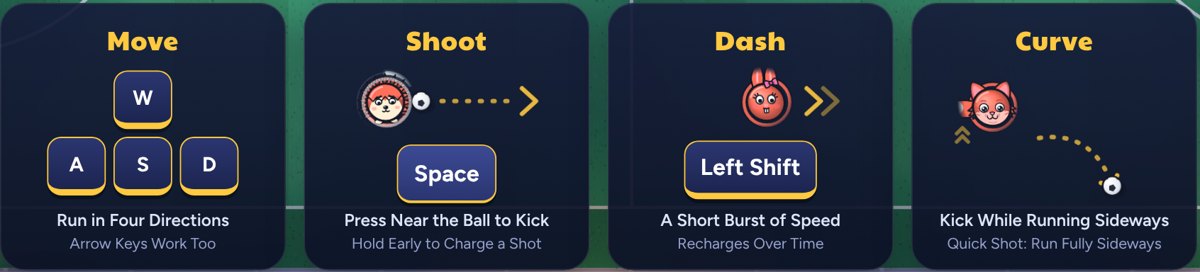
| Keyboard | Controller | Mouse | Phone | |
|---|---|---|---|---|
| Run | KeyboardWASDor | ControllerLeft stick | MouseRuns to the pointer | PhoneTouch an empty spot and drag |
| Shoot | KeyboardSpace | Controller or R2 or RT | MouseLeft button | PhoneShoot button |
| Dash | KeyboardLeft Shift | Controller or L2 or LT | MouseRight button | PhoneDash button |
| Pause | KeyboardP or Esc | Controller | MousePhoneMenu The button at the top right | |
| Zoom | Keyboard12345 | ControllerMousePhone The magnifier at the top right | ||
You can change every key in Settings. To play with the mouse, switch on "Mouse Controls" in Settings and click the pitch once. Online matches with other players don't stop; Menu only opens the menu.
Two people can share one keyboard too: in Practice, press "Add Second Player" and the match is played offline. The second player uses the arrow keys, Enter and Right Shift.
Shooting and Aiming
With the ball at your feet, press shoot and it's gone.
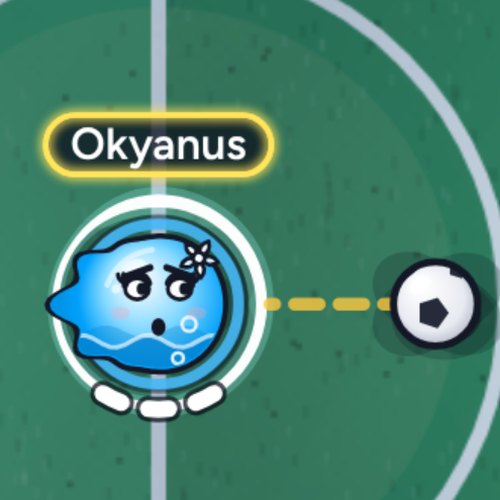
Before the ball arrives, hold the key: the ring around your player fills, and the moment the ball reaches you, you strike with that power. The fuller the ring, the harder the shot.
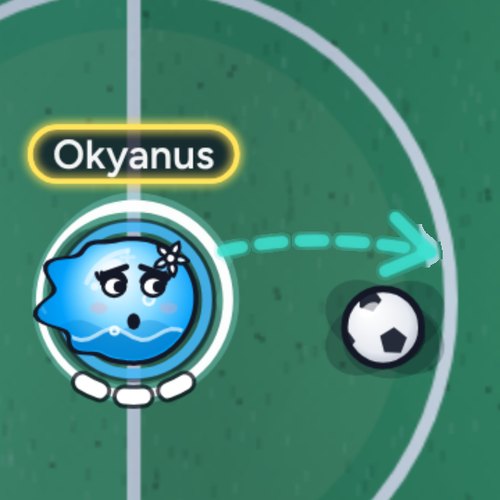
Aiming: While you hold it, an arrow appears in front of you. Turn it with the direction keys and the ball goes that way. On phones, slide your finger on the Shoot button; on a controller, use the right stick.
Don't want aiming? Switch it off in Settings, where you can also change how fast the arrow turns. You can also pick a second shoot key.
Curve
Strike while running sideways, or hit the ball from its side, and it spins and bends. Turning the arrow to the side while aiming also adds curve; if the arrow turns turquoise and curves, the ball will bend that way.
A shot struck from right behind the ball goes straight. However big the curve, the ball never strays far off its line.
Dash
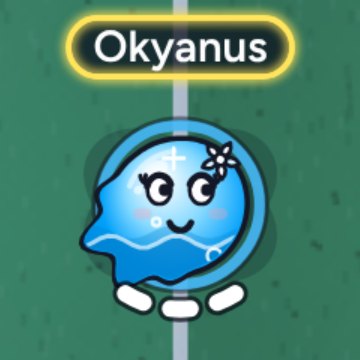
A short burst of speed. You have three; the three white cells under your player show which are ready. A used dash refills over time.
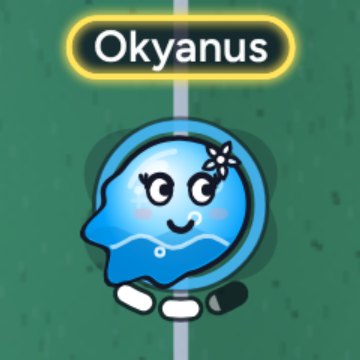
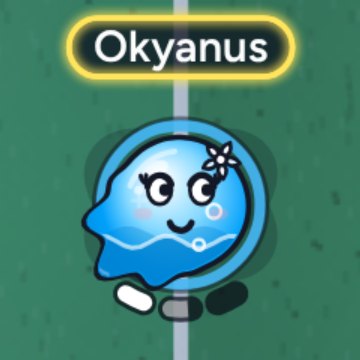
Chaining dashes carries you less far, so pick your moment. Dash into an opponent and you push them.
Dashing with the Ball: With the ball at your feet, dash forwards and the ball comes with you; dash sideways or back and it stays. Dash at a loose ball and reach it before the dash fades, and it comes with you too.
Match Rules
- Coin Toss: A coin is tossed before kick-off; the winning team takes the first kick-off. Each team's captain is picked at this point too.
- No draws. If it is level at full time, the next goal wins (Golden Goal). If the golden goal drags on, the match stats decide the winner.
- Own Goal: Put the ball in your own net and the goal goes to the other side. But if you touch a shot that was heading for goal or the post and it goes in, the goal belongs to the shooter.
- Last Attack: If you're one goal down at full time and your attack is still on (you're charging a shot, pressing right on the ball, the ball is heading for goal or a cross is coming in), play goes on for a few more seconds. Once it starts, it's played out in full, and if the ball is heading for goal at the end, we wait to see if it goes in.
- If no one scores for a long time, the goals get bigger.
- Only two players from a team can stand in the area in front of their goal.
- When a player leaves, a bot takes their place; if the player comes back soon, they take their place again. If your connection drops or you close the page, reopen the game and you'll see "Rejoin" on the main menu. If all of a team's players leave and nobody comes back, the other team wins.
- A player who presses nothing for a long time is benched.
Match Types
- Quick Match: You jump straight into a warm-up. Bots fill the empty spots and arriving players take their places. The team size is set at kick-off by how many players are on the pitch.
- Play: You pick the team size (1v1, 2v2, 3v3, 4v4 or 5v5), then you're matched with real players as usual. Bots fill any spots left empty.
- Practice: You set up your own room: you pick the team size, how good the bots are and how long the match lasts. Friends can join with your room code. Practice matches don't count towards stats or rating.
The only difference between Quick Match and Play is who picks the team size; both are played against real players and count towards your stats.
If someone joins while you're playing bots and waiting for an opponent, there's a short countdown and the match starts again from scratch; if your time against the bots was long enough, it's saved as a bot match. Anyone who leaves during the countdown can't rejoin that match.
Lobbies
A lobby is how you play together with friends. Go to Lobbies and press Create Lobby; you can name it and make it Public or Private. Public lobbies are listed and anyone can join. Only people with the code or the invite link can enter a private lobby.
- Share the lobby code or the Invite Link, or use Invite Friend to invite your friends.
- The host picks the team size, puts bots in empty spots and sorts players into teams. Everyone can switch their own team.
- Start Match: Everyone in the lobby plays each other. These matches count towards your rating, the league and your stats just like a Quick Match: as a match against players if there's a player on the other side, or against bots if there are only bots. Instead of a normal match, the host can also pick a mode from the game boxes (see Fun Modes).
- Quick Match: With everyone on the same team, you join a quick match as a group. This match counts towards your rating.
- Others can watch lobby matches. A private lobby's match can be watched but not joined.
- While watching, use the bar at the bottom to throw confetti or send a heart or a star; the players see it too. Anyone with chat turned off doesn't see reactions either.
Fun Modes
Fun Modes on the main menu are playful twists on football. Press Play and the match starts straight away against bots; players who join take the bots' places. Play with Friends opens a lobby in that mode. Mode matches don't count towards your rating, the league or your match statistics.
- Penalties: You take turns to shoot and save. When the kicks run out, whoever scored more wins. If it's still level, the kicks go on a little longer; if it's level after that, saves and shots on target decide it.
- Free Kick: Curl your shot over or round the wall. Wall jump, Lying Moai and Chip are picked during the set-up.
- Japanese Goal: On a round pitch, everyone has their own goal and lives. Concede and you lose a life; run out and you're out. The last one standing wins. You can pick up power-ups that appear on the pitch, and some stay in your bag until you concede. You can't hang around in your own goal area for long. If the match drags on, the pitch shrinks.
- Duo: Japanese Goal with three teams of two. A team shares its goal and lives. If you join a match already under way, you get a short moment to pick your team.
- In a lobby: The host picks the mode from the game boxes. If there are more people than spots, the rest join the queue and watch. In penalties and free kicks, the winner stays on: the loser goes to the back of the queue and the next player comes in. The host can move a player to the spectators or bring someone in from the queue.
- Trophies: Wins against players in matches you joined with Play count towards the trophies; matches against bots and lobby matches don't. Penalties you save count towards their own achievement. Your trophies sit in the Trophy Cabinet.
- Tactics: In the Modes tab of Tactics you choose your Moai's spot, your life icon and your power-up favourites for Japanese Goal, and where the goal sits on screen for penalties and free kicks.
Rating
Your rating moves with your Quick Match and lobby match results against people. Beating a stronger opponent earns more.
- With bots on the other side as well, your rating moves less.
- Matches against bots only and practice leave it unchanged. Lobby matches count just like a Quick Match.
- Play less than half a match and your rating stays put; leave and don't come back, and it counts as a loss.
Progress
You grow the way you play: for example, run a lot and your speed attribute gets stronger. Your progress shows in the Attributes part of your profile.
Matches against people grow your attributes most; matches against bots help a little, and practice doesn't. Your first stars come within a few matches; each one after that takes more work. Progress is a small edge for those who play regularly: the better player can always win. In this game, you will never be able to pay for progress.
Profile
Open your own profile from My Profile on the main menu; click another player's name to see theirs. The showcase on your profile holds your latest trophies, medals and badges.
Recent Matches: Open them from the Boncuk Media button next to the title on the main menu (or the same button on your profile); your last 10 matches outside practice are kept there, and other players can't see them. Watch replays a match from the start; Download saves it as a small file. Goals lists each goal in the match, and you can download any of them as a video, landscape or portrait, at normal or double speed. That file only opens in the game, with Open Recording, and the game tells you if a recording has been changed.
Goal of the Week: Each week, the best goals of the week before are put to a week-long vote on Boncuk Media's Goal of the Week channel. Candidates stay unnamed during the vote. To vote you must watch every goal to the end, and you must have played a few matches; each account votes once, and you can't vote for your own goal. When the vote ends, the winning goal shows above the new vote, and its scorer wins a plaque that traces the goal. The plaque sits in the Trophy Cabinet, and past weeks' goals stay at the bottom of the channel and on the Thanks page.
- Rating: Shows how you play against your opponents; everyone starts from the same point. A small mark next to your rating means you're still in your first matches and your rating moves faster.
- Stars: The total of the stars you've earned across all your attributes; it sits next to your rating, and the count appears once you earn your first star. Stars only come from playing, playing against people earns more than playing against bots, and each one takes more work than the last. An attribute you leave unused for a long time slowly slips back a little.
- Attributes: Speed, Shoot, Power, Keeper, Ball Control and Agility. Each one fills up from what you do on the pitch.
- Play Style: Striker, Playmaker, Centre Back, Shot-Stopper, Engine and Rocky. It starts filling after a few team matches against real players; your strongest style becomes the title on your card.
- PVP, PVE and All: Your matches against players, against bots, and all of them. These tabs change the Form and Records parts.
Why are records different for everyone? Records are picked by play style: a keeper-type player sees saves and clean sheets, a goalscorer sees goals and hardest shot, a runner sees distance covered. Players whose play style hasn't filled yet all see the same basic records.
Tactics
The Tactics button on the main menu opens the screen where you choose how your bots play. Your choice here is applied by default at the start of every match where you are captain, and it stays until you give a new instruction during the match. At first, Balanced, Measured, Normal width, Zonal and Normal transition are selected.
Mentality: how far forward the team plays
- Defensive: The whole team drops back. Defenders stay in your own half and the striker comes back too. Your goal is well covered, but you have fewer players going forward. Good for holding on to a lead.
- Balanced: Your bots help both in defence and in attack, depending on how the match goes.
- Attacking: The whole team pushes up, and the back line holds a high position. You have more players near the other goal, but space opens up behind, so a quick counter can reach your goal. Good when you're behind and need a goal.
- If you have set up a formation, its shape stays the same: the whole team moves forward or back together, and your most advanced bot is still the furthest forward.
Width: how far the team spreads across the pitch
- Narrow: Your bots stay close together in the middle. The gaps close and it's hard to get through the centre, but the wings are left open.
- Normal: Your bots spread across the pitch evenly.
- Wide: Your bots move out towards the touchlines. There's more room for passes, but the gaps between players open up.
Defending: what happens when the other team has the ball
- Zonal: The bot closest to the ball goes to the player carrying it. The others don't chase the ball: they cut off the passing lanes, and when the other side gets close to your goal one of them steps into the shooting angle. Defenders hold their line, so your team keeps its shape.
- Press: A second bot also goes at the player with the ball, anywhere on the pitch. The other team can't carry the ball easily, but fewer players stay back.
Goalkeeper: how your bot keeper behaves
- Fixed: The keeper stays in the goal area. They shift left and right with the ball but never leave the goal, and don't come far out even one on one.
- Measured: The keeper comes out when needed: they cut out balls played in behind and move up behind the play when your team attacks, but don't come far out while an opposing striker is close.
- Brave: When your team attacks, the keeper stays closer to the ball and joins in more, even with an opposing striker waiting up front. If they can reach a ball played forward by the other side first, they come off their line to win it and pass to a teammate, and they leave the ball alone while a teammate is dribbling. In small teams they also offer you a pass in your own half. They win the ball more often, but a quick counter can find the goal empty.
Transition: what happens when you win the ball
- Normal: When you win the ball, the bots take up their spots and build the play calmly.
- Counter: The moment you win the ball, the bots up front and in midfield run into the space ahead, and the first pass goes to those runs. You reach their goal before they get organised, but the runners leave space behind. When the attack is over, the bots go back to their spots.
Formation: where your bots stand
- Two spots: For 3v3, 4v4 and 5v5 separately, you pick two spots for each bot: where it stands when you have the ball (the filled bead) and where it stands when the other side has it (the dotted ring). These spots aren't fixed points on the pitch but places within the team: the team shifts forward, back and sideways with the ball, and each bot's spot shifts with it. When play comes close the bot joins in, and when the ball moves away it goes back to its spot.
- Role: The zone you drop a bot in sets its role, and the name shows under the bead (Centre-Back, Left Mezzala, Striker and so on). The back half of a zone is a role that holds back, the front half one that runs forward. A bot dropped in the goal area is the goalkeeper; only one bot can stand in goal.
- Number: If there are other players in your team, fewer bots are on the pitch and the spots are handed out starting from number 1.
- Fixed goalkeeper: The goalkeeper instruction always comes before the formation. With Fixed selected, the goalkeeper bot's spot is locked to the goal area.
- Reset: The icon at the top left of the pitch puts that formation back as it was. In a size you have never changed, bots play as usual.
- Plan A and Plan B: You can set up a second formation from the top right of the pitch. Matches always start with Plan A; you switch to Plan B from the instructions drawer during the match, for example to a deeper formation when you are ahead.
Captain
- On a team with bots, the captain gives the instructions. In Practice and when you play on your own, you are the captain; if your team has other players, a captain is picked at kick-off and gets a captain's mark next to their name. Only the captain sees the tactics pocket. Press and hold the pocket and drag it up or down along the edge to move it; Reset on the Keys tab in Settings puts it back.
Instructions during a match
- Opening: Press T on the keyboard; on a phone, tap the tactics pocket on the left edge of the screen. The instruction drawer opens.
- Choosing: Tap or click the buttons in the drawer. On a keyboard, the number keys also work while the drawer is open: 1 Defensive, 2 Balanced, 3 Attacking, 4 Zonal, 5 Press, 6 Fixed, 7 Measured, 8 Brave, 9 Plan A, 0 Plan B.
- Closing: Press T again, tap somewhere else or press another key. The key you press still works in the game, so you can keep running.
- Goes: You have two goes to change tactics during a match; each time you open the tactics window, you use one of them. All the changes you make while it's open count as a single go. On top of these, every goal in the match gives you one more chance to change tactics, but that go doesn't stack with the others. The dots above your tactics box show the goes you have: yellow is a go you can use, white is one you've spent. If both are white, the window won't open.
- Practice: There's no limit in Practice, so you can try as much as you like.
- Instructions you give during a match only last for that match; your choice on the Tactics screen stays as it is.
League and Achievements
The League button on the main menu opens the season standings, and shows your rank on it. Achievements are on your profile. Both are only badges and rank; they give no advantage in play and can't be bought. The league is in beta for now.
- League: You collect points from online matches; beating players is worth more than beating bots, and losing costs nothing. If points are level, goal difference decides, and one big win can't blow it up. Each day you get a few league matches against players and against bots; every match uses one, win or lose. Unused ones build up for a few days, so you can catch up even if you can't play every day; the League window shows how many are left. Only a few wins a day against the same opponent count. Once the day's matches are used up you can still play; they just don't count towards the league that day. Everyone races in one table: you see the top of it and the area around your own place. As your points grow you climb the tiers from Street to Star.
- Season: Each season lasts two weeks and starts afresh at midnight going into Monday; your tier from a finished season stays as a badge. The top three of each season go on the Monument: the winner gets a trophy, second and third get medals; what you win stays in the Trophy Cabinet on your profile, and a small mark shows next to your name all through the next season.
- Achievements: There are six groups: league, Goal of the Week, fun modes, against players, against bots and in any match. Goal of the Week ones come from voting, and from your goals being nominated and picked. Mode ones come from beating players in mode matches you joined with Play. Some are one-off, others turn Bronze, Silver and Gold as you play. When you unlock one, a small notice pops up after the match.
- Practice and unrated friend lobbies don't count towards the league.
Characters
Characters are looks only; they all play the same. Pick yours and its colours on your profile. The ring around your player shows your team.
You can paint your character's parts any colour you like; Reset puts it back as it was. You can also play as a plain glass bead instead: you pick its colour, and if you're in a club you can wear your club's crest.
Your Name
Type your name into the "Nickname?" box on the main menu; it's saved as you type. Your name shows above your player on the pitch, in tables, on your profile and in chat, and the commentators call you by it.
- Keep it short: letters and digits, with at most one space. The first letter of each word is capitalised for you.
- Names with swearing, phone numbers, web addresses or social media handles aren't allowed; such a name is changed to "Player".
- You can share a name with someone else; the game knows you by your account, not your name.
- You can change your name whenever you like. With a linked account, the name you typed last shows on all your devices.
Chat
You can chat in online matches, during warm-up, at full time and in a friends lobby you create or join. What was said in the lobby stays on screen when the match starts.
- On a keyboard, Enter or Tab opens chat, Enter sends and Esc closes it. If you play with the arrow keys, Enter is your shoot key, so use Tab. On phones, tap the "Type..." box.
- The yellow Quick Chat button offers short phrases that fit the moment; every player sees them in their own language.
- The button next to the box switches between your team only and everyone; each tap flips it.
- Messages are short. Phone numbers, web addresses and social media handles can't be sent; with the Chat Filter on (it starts on), rude words show to you as stars, and you can turn it off in Settings; and messages typed too quickly in a row don't go through. Messages fade after a few seconds and are not stored; only a reported message is kept for a while so that we can review it.
- A player who breaks the rules is warned first; if it happens again their chat is closed for a while, and serious or repeated cases are banned from online play. The reason and end time are written to their Messages. If you reported a message, you are told the outcome once a decision is made (without the person's name).
- Report and Block: Click or tap another player's message, pick Report or Block and confirm. A reported message disappears from your screen and reaches us; if it breaks the rules, the writer may be warned or kept out of online play. If several people report the same player, they can only use Quick Chat for the rest of that match. You no longer see messages from a player you've blocked, Quick Chat included.
- Players joining and leaving the match, and spectators arriving and leaving the stands, show up in chat too.
- You can switch chat off completely in Settings; when you do, others in the match see that you're not in the chat.
Friends
To add friends you need to link your account (see Account). You can also send a request to someone who hasn't linked theirs; it waits for them, and they can accept once they link.
- By code: The Friends panel shows your own code. Your friend types it into the "Friend's Code" box and presses Add.
- At full time: On the results table, press the purple add-friend button next to a player's name and the request goes straight away.
- From a profile: Click a player's name in a lobby, on the full-time table, in the league table or in a list, then press Add Friend (the person with a plus) on their profile.
- Incoming requests wait in the Requests box; accept one and you're friends.
- Your status: Online, Busy or Appear Offline. While you're Busy, friends can't invite you; on Appear Offline they see you as offline.
- Invite: Press Invite on an online friend and an invite to your lobby goes out; if you don't have a lobby, one is set up for you. Your friend sees the invite on the main menu and presses Join. Invites expire after a while.
- To remove a friend, press the cross in the list or on their profile.
Club
The Club button on the main menu opens the club window. You can be in one club at a time; if you leave, you can join another one straight away.
- Find a Club: Tap a club in the list. You join an open club right away; for an application club you apply and the captain or a vice-captain approves; you join a conditional club if you meet its requirements.
- Found a Club: All you need is a few matches played. You choose the name, the short name and the crest (frame, pattern, emblem and colours).
- Roles: The captain edits the club, removes members and passes the captaincy on. Vice-captains send invites and approve applications. If the captain stays away for a long time, the captaincy passes to another member on its own.
- Invites: The captain or a vice-captain sends an invite with the Invite to Club button on a player's profile or from the Invite list in the Members tab; the list shows players with no club who have played recently, and you can search by name. In the Privacy tab of Settings you can set your invites to open to everyone, friends only or off.
- Members: Tap a member's name for small icons: view their profile or add them as a friend; the captain also gives roles, hands over the captaincy or removes the member here.
- Chat: Every club has its own chat room; the latest messages are kept. The bubble next to the text box sends quick chat lines. Tap a message for the report and block icons. A message you report disappears from your screen at once; it is removed for everyone if two different members report it, if the captain or a vice-captain reports it, or if we find it breaks the rules.
- Trophy Museum: The trophies your club wins are kept here.
- If nobody in the club plays for a long time, the club is locked; a returning member reopens it with Revive Club.
Reporting and Blocking
- Report: Open the player's profile (click their name), press Report (the flag) and pick a reason: Offensive Name, Sabotage, Suspected Cheating or Other. If you pick Other, write briefly what happened.
- We read the reports and, if needed, look at the recording of that match. An offensive name gets changed, and an account that breaks the rules can be banned from online play.
- You can report the same player once a day, plus once more for their name. Your daily reports are limited too.
- Block: Block from their profile (the circle with a line through it), or by tapping one of their messages in chat. You won't see a blocked player's chat messages, you won't be put on the same team, any friendship between you ends and they can't send you requests. Unblock them from their profile or from the Blocked Players list on the Account page.
- To report a single chat message, see Chat.
Account
Linking an account is optional; you can play everything without it, you just can't add friends. Without linking, your progress lives only on this device and is lost if your browser data is cleared.
- Link with Google using the Account button next to Language in Settings; while linked, a green mark shows next to it.
- Once linked: Your progress, rating, name, character, settings and tactics (formations included) open on every device where you sign in with Google, and you can add friends.
- Google says your name and email will be shared; our server doesn't store them, only an anonymous number that tells your account apart. The Privacy page has the details.
- If both this device and your Google account have progress, you choose which one to keep; they aren't merged.
- If you Sign Out, your progress stays with your Google account and comes back when you sign in again.
- Delete My Account: You can delete your account for good from the Account tab; your progress, stats and friends list are deleted.
Feedback
Liked something, disliked something or found something broken? Write it through the Feedback button on the main menu; we read every one.
- Only text can be sent. For something long, or to send a picture, write to info@boncukfc.com.
- Before you press Send, answer Yes or No to "I allow my name to appear on Thanks and the Suggestion Board." Say Yes and we may add your name to the Thanks page, and to the Suggestion Board if your idea makes it there.
- Your daily feedback is limited.
Settings
Parental Controls
In the Privacy tab of Settings, under Parental Controls, you can choose who your child talks to in the game and how. The settings are locked with a four-digit PIN you choose.
- Options: Free Chat (when off, only quick chat in matches and lobbies), Club Chat (when off, only quick chat in the club), Club Invites, Adding Friends, Friend Requests and Nickname (when off, others see "Player" instead of the name). Once set up, they all start off; you turn on the ones you want.
- Always on: the Chat Filter is always on under parental controls; reporting and blocking are always available.
- PIN: to change anything, enter your PIN first. If you forget it, the secret question you chose at set-up lets you set a new one. Wrong tries are limited; when they run out you have to wait a while. If you cannot remember the secret answer either, write to us via Feedback and we will reset the lock.
- Device and account: the lock applies to both the account and the device. To cover private browsing and other devices too, also use your device's own parental controls.
Pitches
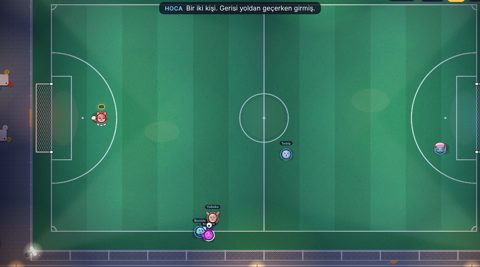
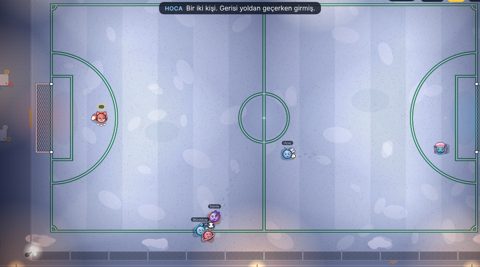
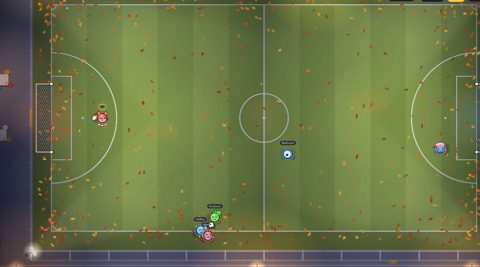
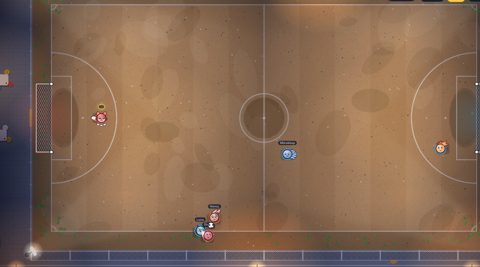
Most matches are on the five-a-side pitch; now and then you'll land on a different one. Everyone sees the same pitch, and it doesn't change how the game plays. Rain, snow and leaves are only for looks: they don't slow the ball or the players, and there's no wind. The ball only curls from the kick itself: strike it with a glancing touch and it bends.